Testing GMKtec AD-GP1 eGPU with Radeon RX 7600M XT
GMKtec AD-GP1 is one of many portable eGPUs with Radeon RX 7600M XT chips from AMD. It offers OCuLink and USB4/Thunderbolt 3 connectivity and is priced at around 480 EUR / $550 with discounts going as low as $470.
RX 7600M XT Specification
RX 7600M XT
is a mobile variant of desktop RX 7600 chip. It has a bit lower boost clocks, and runs at a lower TDP (75-120W vs 165W nominal for the desktop variant). Compared to the current AMD best iGPU - Radeon 890M, it's RDNA 3 versus RDNA 3.5, and the 7600M XT is overall twice as large as the iGPU, not counting dedicated VRAM:
| Radeon RX 7600M | Radeon 980M | |
|---|---|---|
| Cores | 2048 | 1024 |
| TMUs | 128 | 64 |
| ROPs | 64 | 32 |
Skipping architectural changes the RX 7600M XT even while it's a mid-range GPU it's twice as large
as the iGPU, has dedicated fast VRAM, and runs at a much higher power target.
GMKtec AD-GP1
The eGPU box resembles a large power brick measuring 16 x 11 x 4 cm. It comes with its own massive 240W power brick that powers the 120W TGP GPU and offers 60W power pass-through. For video outputs, we have two DP 2.0 (4K 120Hz), and two HDMI 2.1 (4K 120Hz).
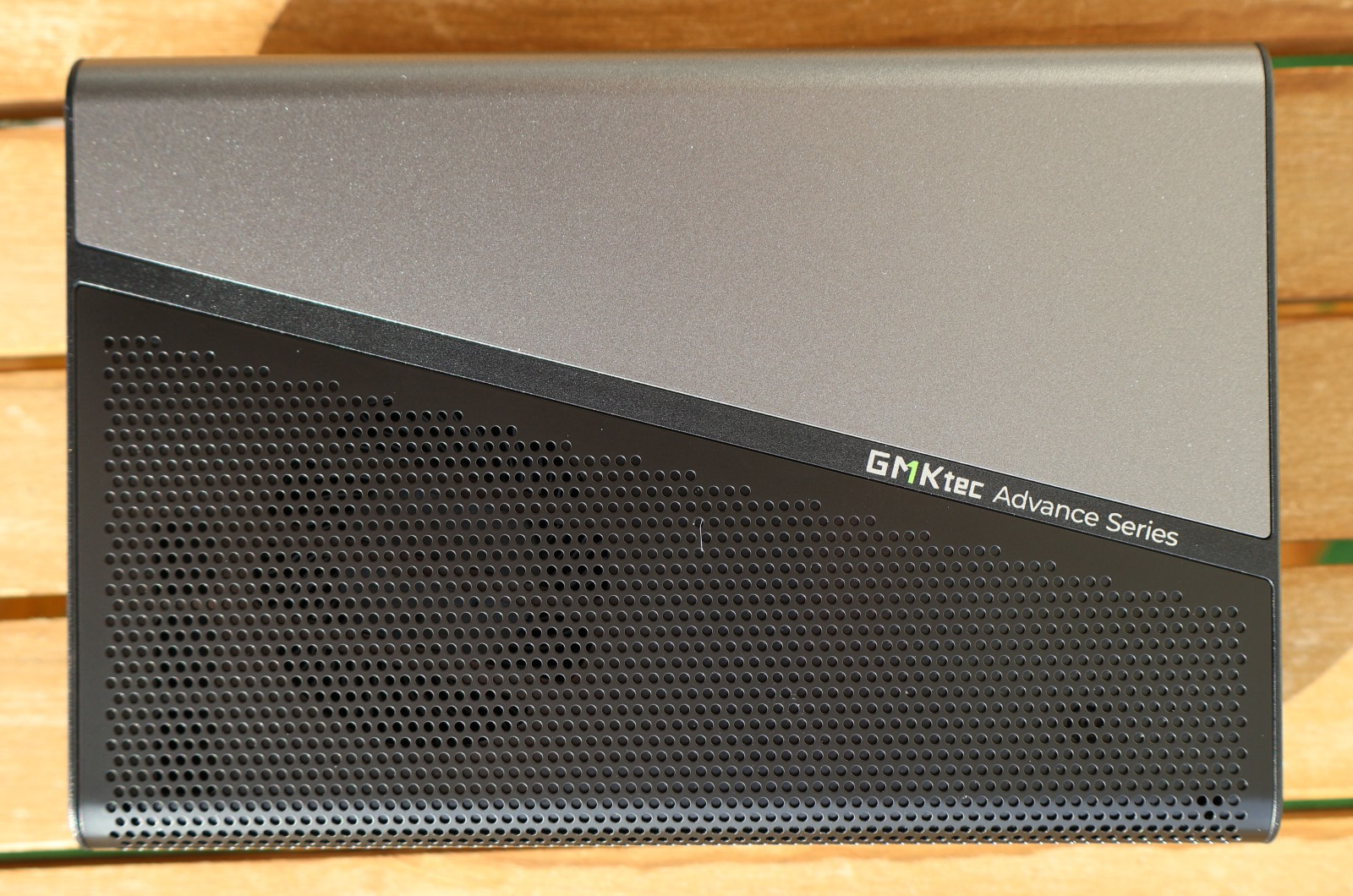
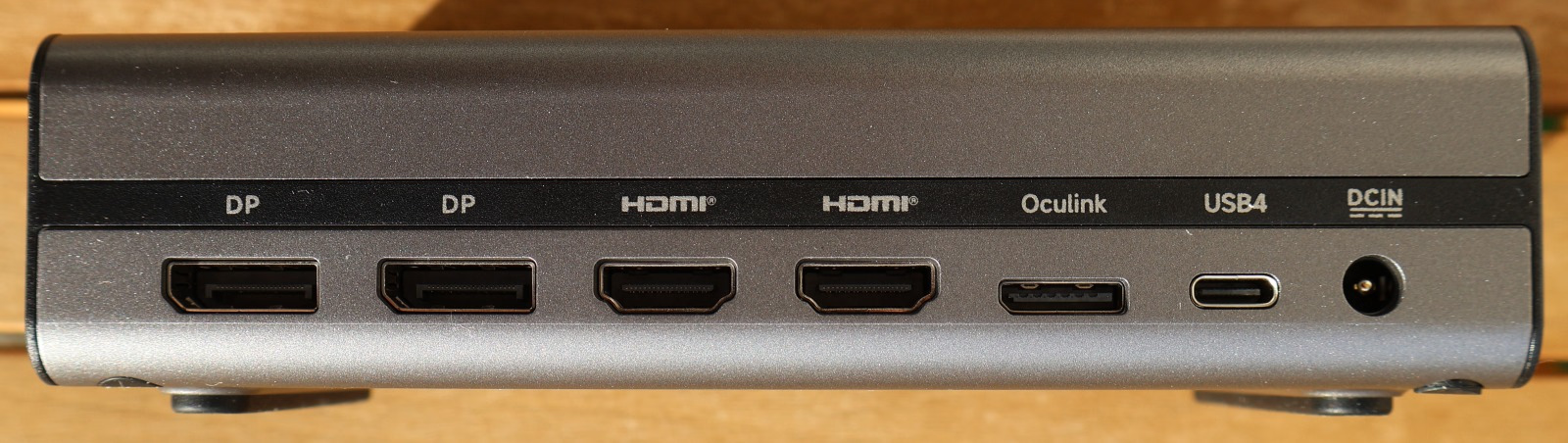
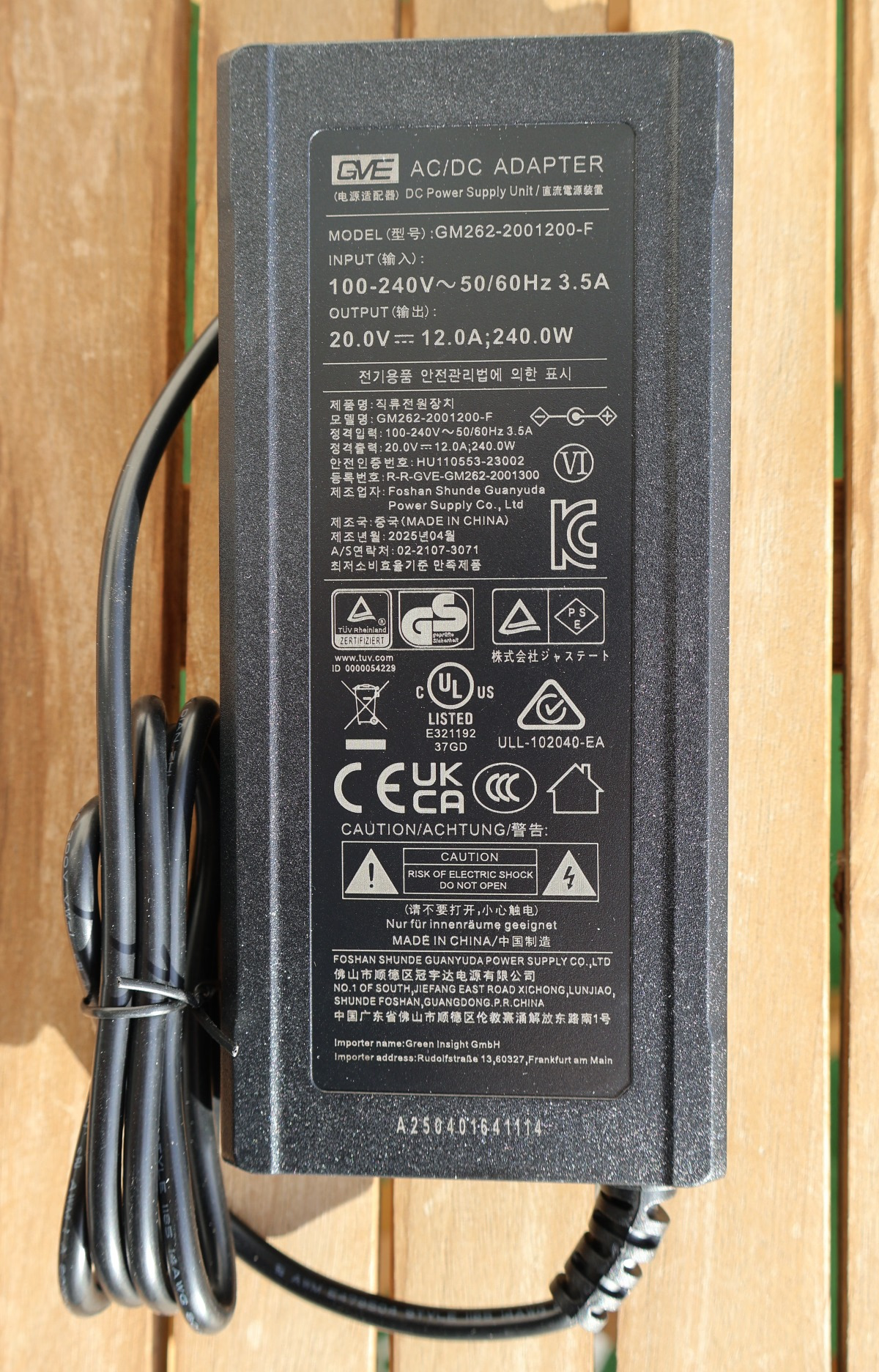
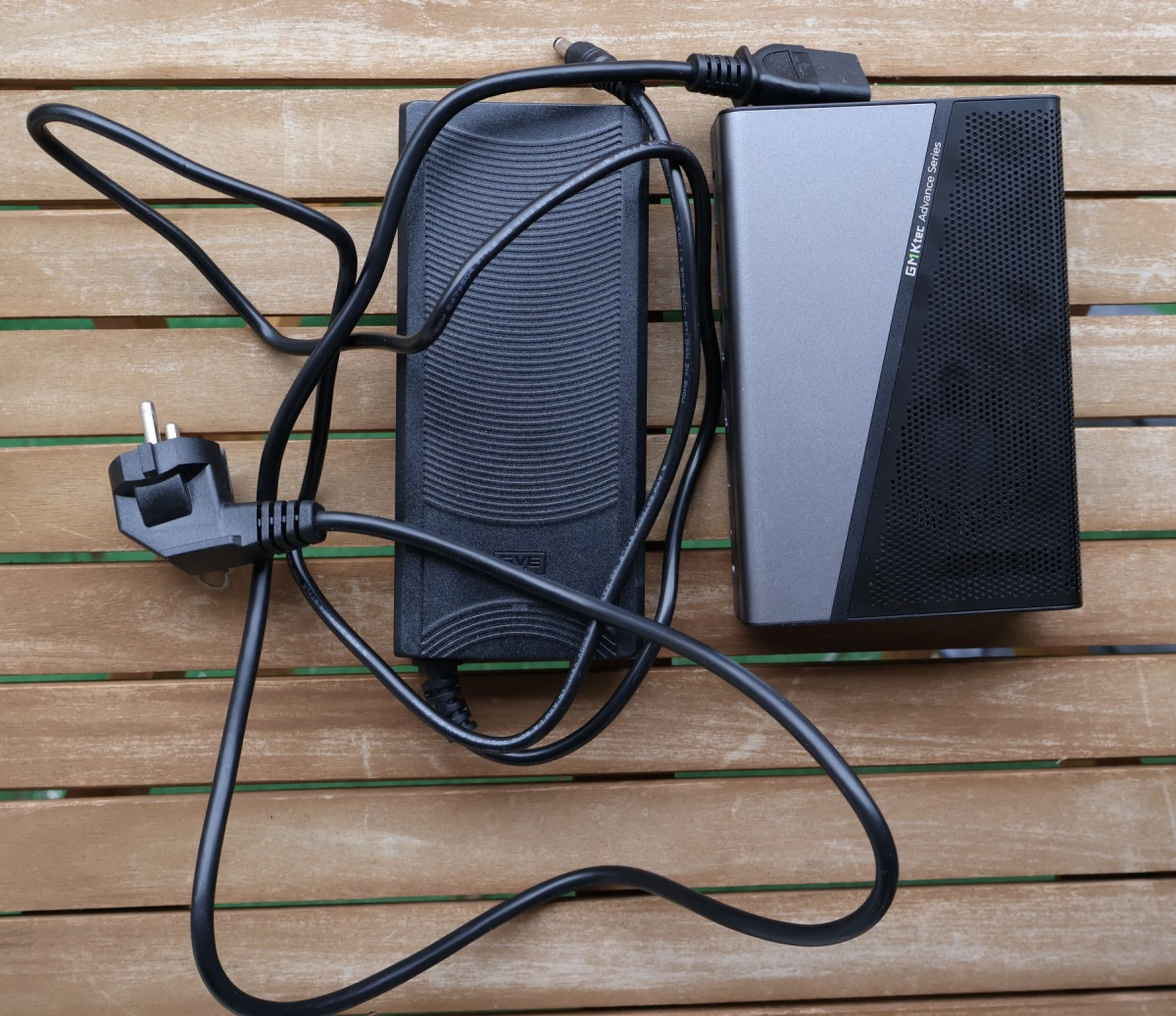
During use, the eGPU fans do kick and can be noticed, but they don't get as loud as noisy laptops. It's better, but it's still a relatively small box using a mobile cooling solution. Sometimes a clicking sound can be heard - like if a relay was switching - yet it doesn't seem to indicate any problems.
The eGPU and its power supply do take some space, but they can be carried in a backpack. Setups using eGPUs need a dock and a power supply (usually ATX) and aren't as portable (but they will have better cooling and a GPU of your choice, even a high-end one).
eGPU benchmarks
Thunderbolt 3 / USB4 offers PCIe 3.0 x4 connection. OCuLink offers a PCIe 4.0 x4 connection, thus higher bandwidth. On top of that CPU manages all the I/O for USB/Thunderbolt interface, causing some overhead over OCuLink solutions.
Another aspect is the display being used - when you are using a laptop's own screen, then the data has to be sent to the eGPU, rendered, sent back, and then sent to the iGPU to display it. This adds latency, limiting the FPS. When you use an external display with the eGPU then you save on the PCIe bandwidth and system display latency. In gaming laptops MUX switch can switch which GPU has direct access to the laptop's own display, which isn't a thing for eGPU.
Benchmarks were done on Topton TOPC Ryzen HX 370 miniPC with 30W TDP and 2x16GB SODIMM 5600MT/s RAM kit.
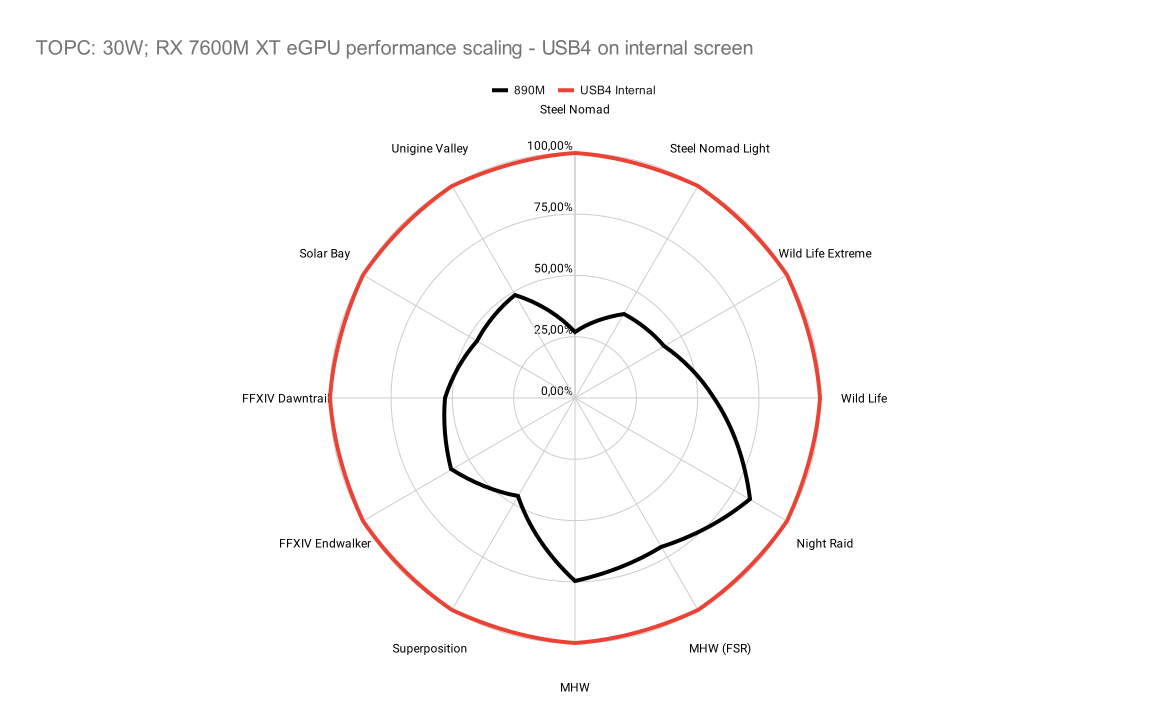
For USB4 eGPU setup, the performance uplift over 890M iGPU is around 2X except some benchmarks like Monster Hunter Wilds (1080p lowest preset) or 3DMark Night Raid:
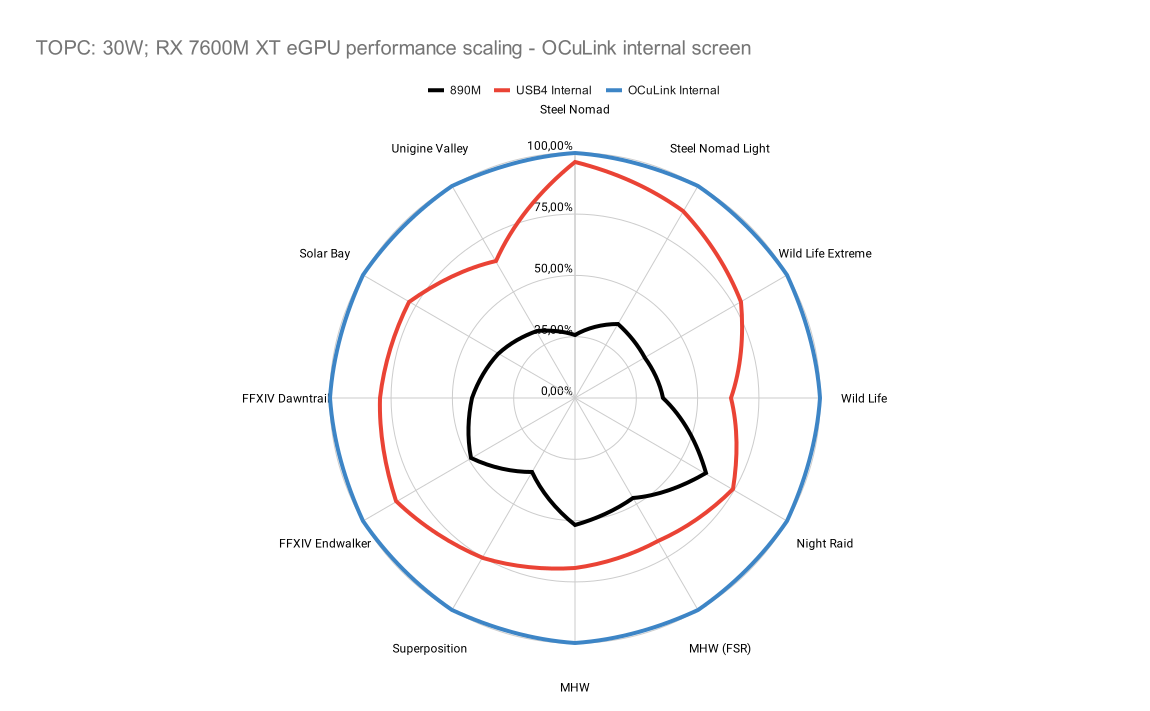
On OCuLink the performance delta increases to around 2.5x except those outliers that are around 2X:
When an external display is used, then the performance is even better and around 3X:
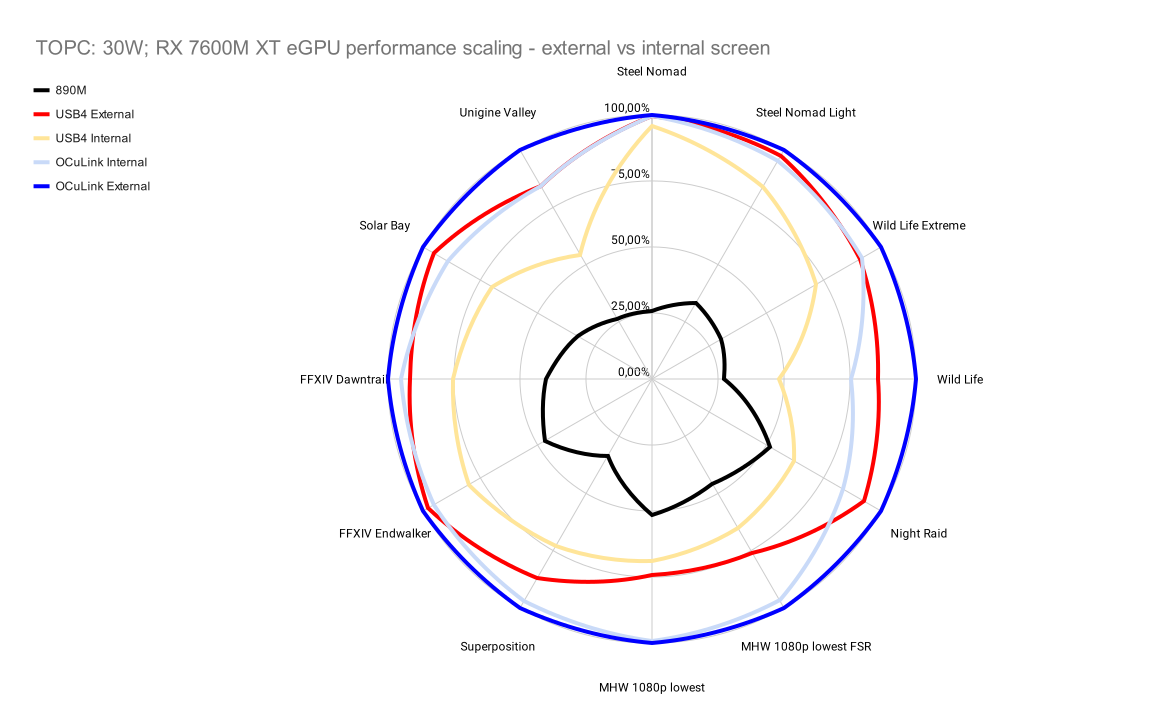
Even USB4 on an external display performs really well, which can indicate that the added latency of sending frames back is quite the bottleneck.
For detailed benchmarks you can check notebookcheck comparison charts.
Desktop RX 7600 vs Mobile RX 7600M XT
Using a simple OCuLink setup with RX 7600 and ATX power supply, I ran some benchmarks to compare how the 120W mobile GPU compares to the desktop Power Color RX 7600 Fighter GPU. The GPU is the same as in the mobile variant, just that the desktop variant can boost higher and use more power (although this isn't some OC model pushing the limits).
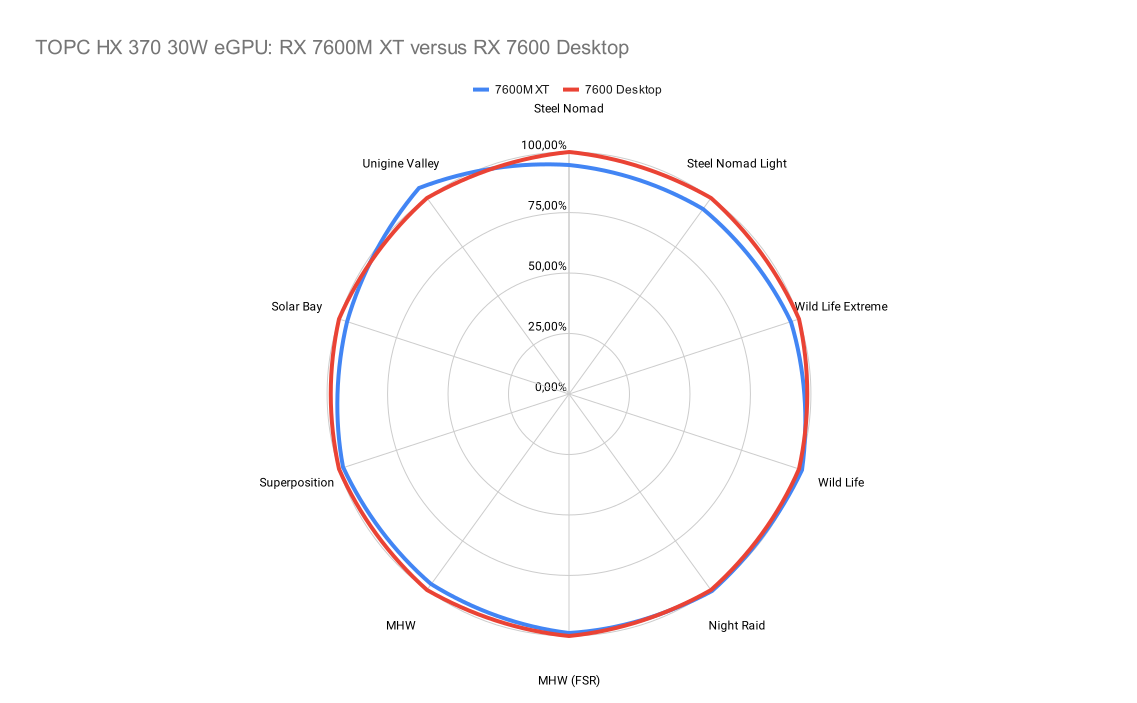
As you can see, the mobile variant offers near equal performance as the desktop variant, so the GMKtec isn't throttling and isn't power-constrained.
eGPU Troubleshooting
When running eGPU setups actual PCIe connection can be established at a lower bandwidth than the OCuLink expected PCIe 4.0. This can be some sort of signal integrity error or the specifics of the given device or GPU. In my previous eGPU testing with GPD Win Max 2, I had random cases where the given GPU would not work or would run at a fraction of the expected bandwidth. USB4/Thunderbolt is way more reliable in this regard.
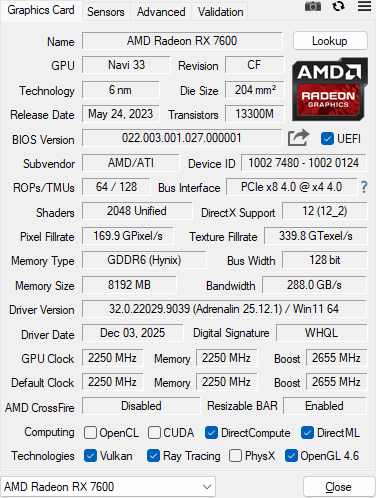
For this review, I also wanted to test RX 9070 XT in an eGPU setup with the Topton TOPC, and it did boot and display an image on the external display, but the connection wasn't proper, and all benchmarks ran at a few FPS. Trying the USB4 dock gave video output in BIOS and during boot, but a blank screen as soon as Windows login would show up. eGPU is not a flawless solution. I had RX 6950 XT working with GPD Win Max 2, so you can see performance scaling for that device as an estimate.
Summary
GMKtec is one of many offering 7600M XT as an eGPU, but it's probably the best when it comes to pricing, and at such prices, it may be worth it if you need that extra performance for your laptop. If you are looking to buy a laptop and eGPU to pair it with, then in this case it may not be as good a value as an RTX 5060-based laptop will be slightly better than RX 7600, and you get one working package. On the other hand, if you want an ultraportable laptop for work and commute with eGPU gaming at home, then a desktop-GPU-based solution will be better than 7600M XT unless you really want something small and reliable without tinkering.
Cooling on the eGPU is good, gets the job done, yet it still uses a mobile-like cooling assembly, which makes the noise noticeable. Stronger eGPU in a similar form factor to the old Asus XG Mobile gets noisier. Manufacturers could sacrifice a bit more and add some extra volume to offer a beefier cooling assembly that will be more distinctively quieter than your average gaming laptop.
Comment article