SDXC and SD Express versus SSD as an additional PC storage option
Some handhelds offer a microSD slot as an additional storage option. microSD is also a common storage extension for Android phones and tablets. This does work but has severe performance limitations when compared to NVMe drives. There are, however, newer standards like SD Express that bring PCIe connectivity for vastly improved performance.
Nintendo uses SD Express cards as storage expansion for the Switch 2. Let's take a look at the performance difference between an SD and an SD Express card and a budget SSD, and how it impacts performance and gaming.
SD/SDXC cards
SD cards have a long history behind them. It became the go-to standard for DSLR, video recorders, and similar devices. The cards are small and reliable, optimized for write operations - saving large images or video streams. Being simple and specialized means they aren't universally good storage devices. They lack random read/write operations and can have problems with data integrity and consistency after prolonged use.
To alleviate performance limitations and new use cases like storage for Android devices, new standards and generations of SD cards were created. Now we have video speed class (V), UHS speed class (number inside big U), or the old speed rating of 1-10. This is important for video capture devices as they require more and more sequential write speeds as video quality and frame size increase. For applications like Android or handheld gaming, it also can matter, but those use cases have additional speed ranking (A speed markup) or different standards up to PCIe SD Express cards. Random read/write (and a lot of read operations) is what is needed for application storage.
SD Express
SD specification 7.0 from 2018 introduced the SD Express standard, which used PCIE 3.0 x1 lane with NVMe storage protocol support. Later, microSD was adopted, and in 202 SD specification 8.0 added PCIe 4.0 x2 variant as well. The shape of the cards did not change, but additional pins are present, which also mandate SD Express-compatible card readers to get full performance from the card.
With NVMe support, the SD card can offer much better performance as a general-purpose storage as well as high throughput for sequential write and read.
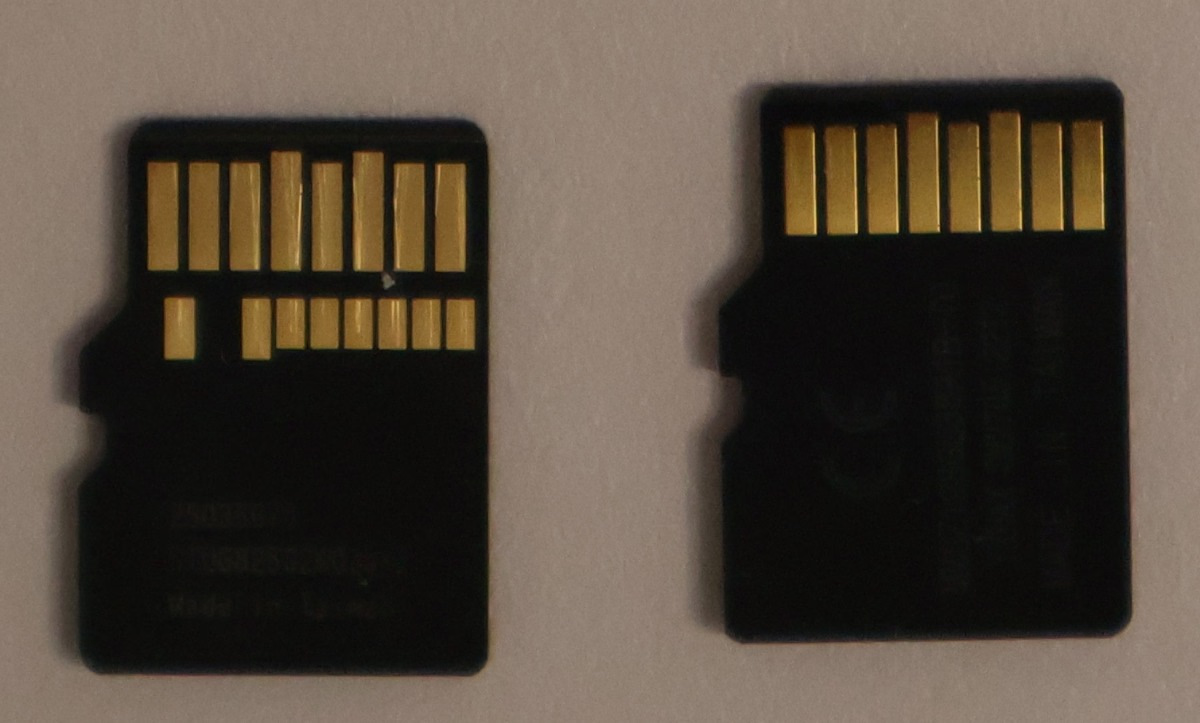
Tested SD cards
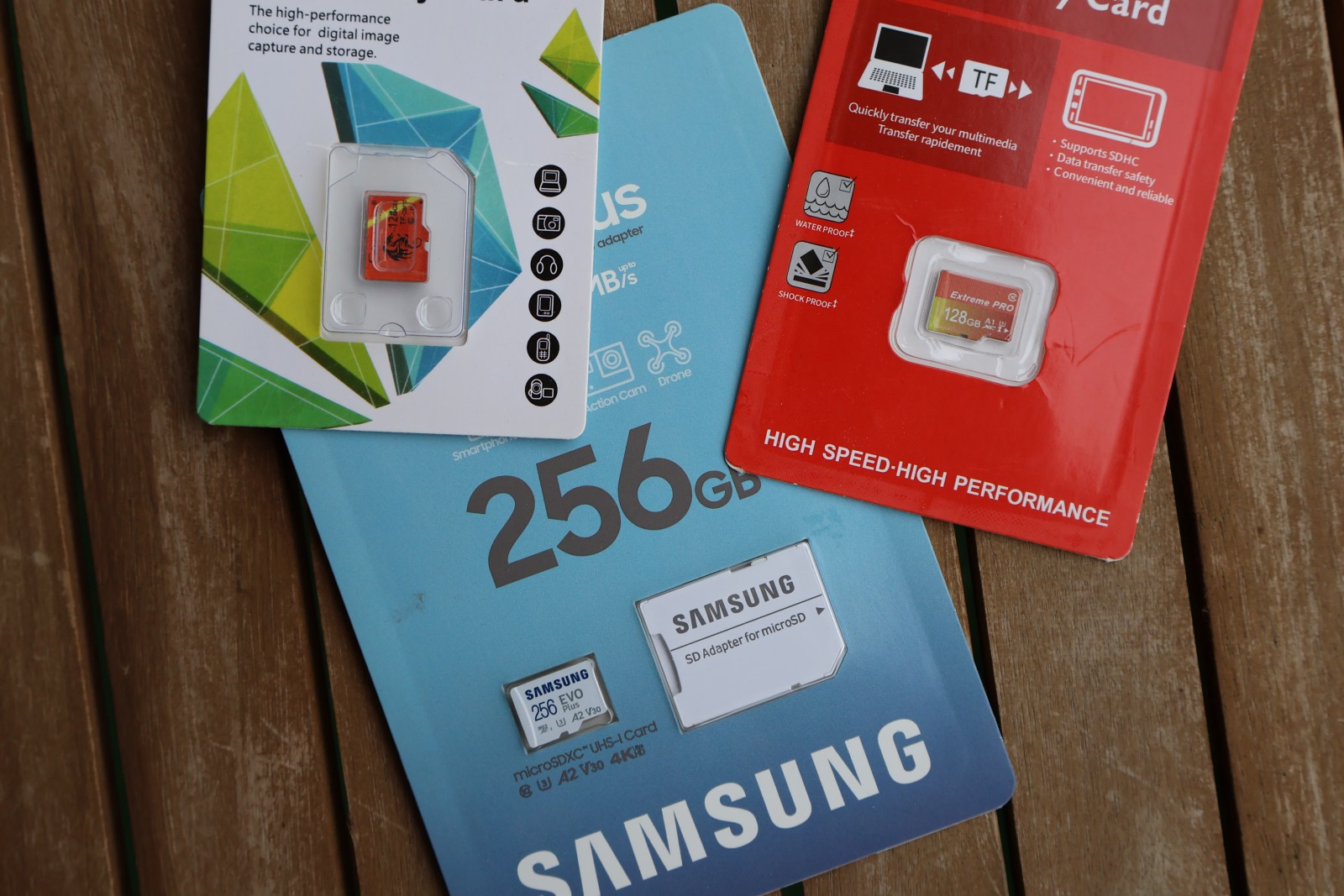
For the tests, I used a decent microSDXC card - Samsung EVO Plus (256GB) and two 128GB most no-name cards as possible, just for curiosity, what's the difference between a well-known brand product and a no-name's cheap options?
The Samsung Evo Plus is a multipurpose card with relatively high speed ratings of U3, V30, and A2 (up to 160 MB/s read and up to 120 MB/s write). The no-name SomnAmbulist 128GB card is rated at U3, while Extreme Pro
128GB card is rated at A1 U1.
Samsung Evo Plus
The tests were done using Unitek H1108B uHUB Q4+ USB-C dongle (5 Gb/s USB3 standards supported).
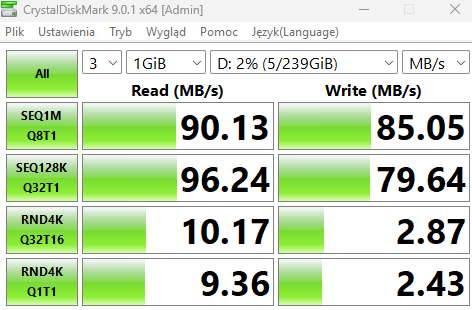
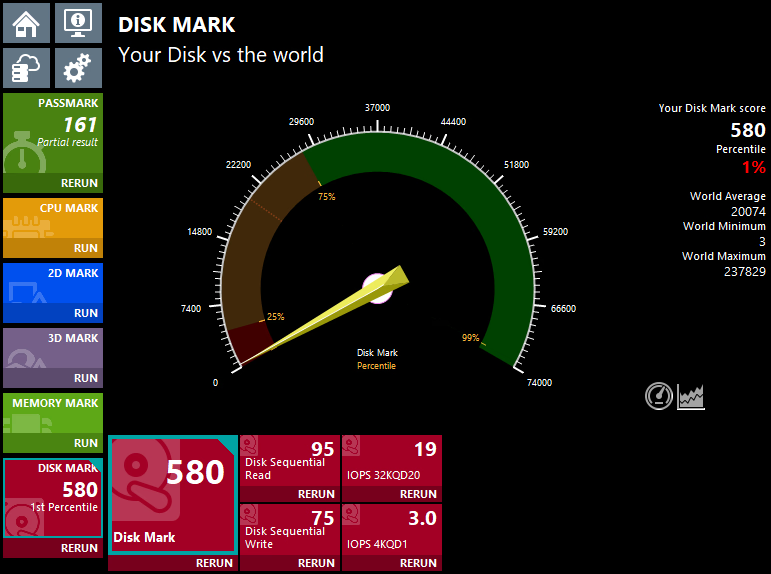
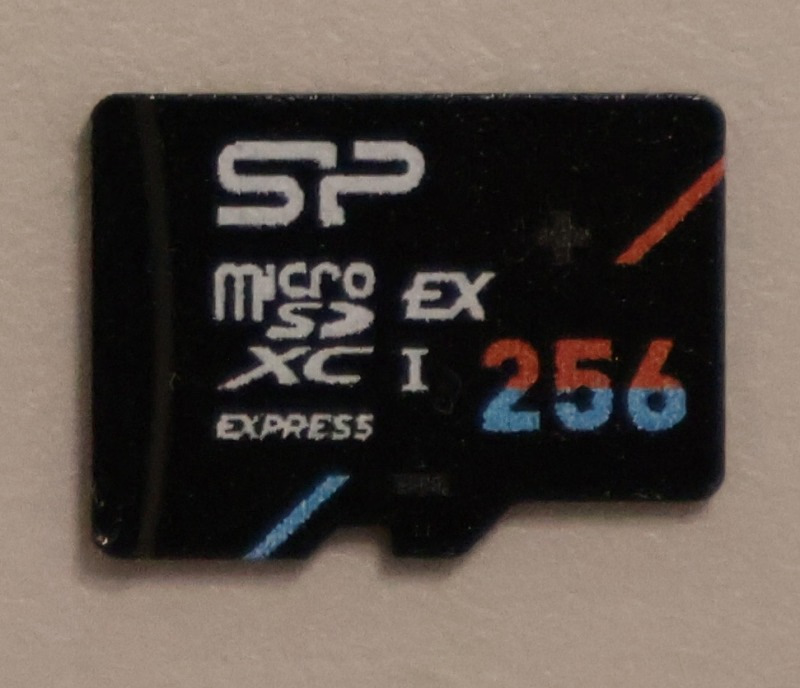
Silicon Power Hypera MicroSDXC Express
The SP Hyperia cards use the SM2708 SD Express controller and implement the 7.1 standard (PCIe 3.0 x1 with NVMe). Read speed is up to 880MB/s and write is up to 700MB/s. You can get 256GB, 512GB, and 1TB cards. The 256GB card is priced around $50 locally, which is more than a good SDXC card of the same capacity, but the price delta is only around 40%. The main use for those cards is the Switch 2 storage expansion.
Gaming benchmarks
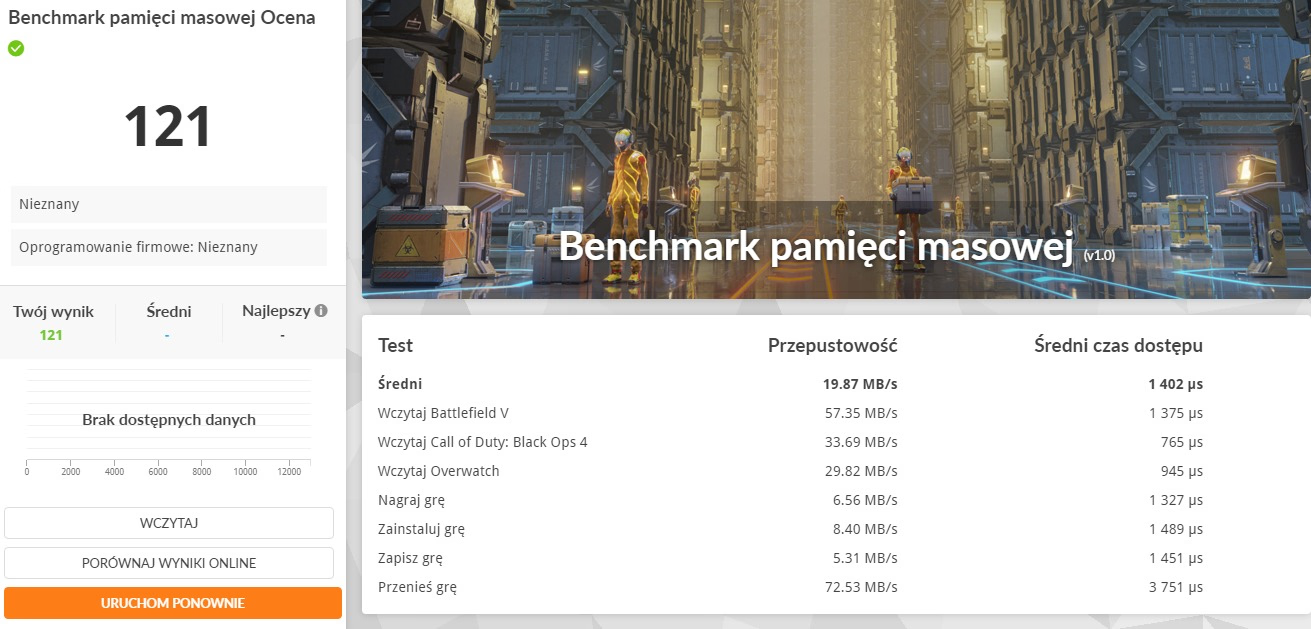
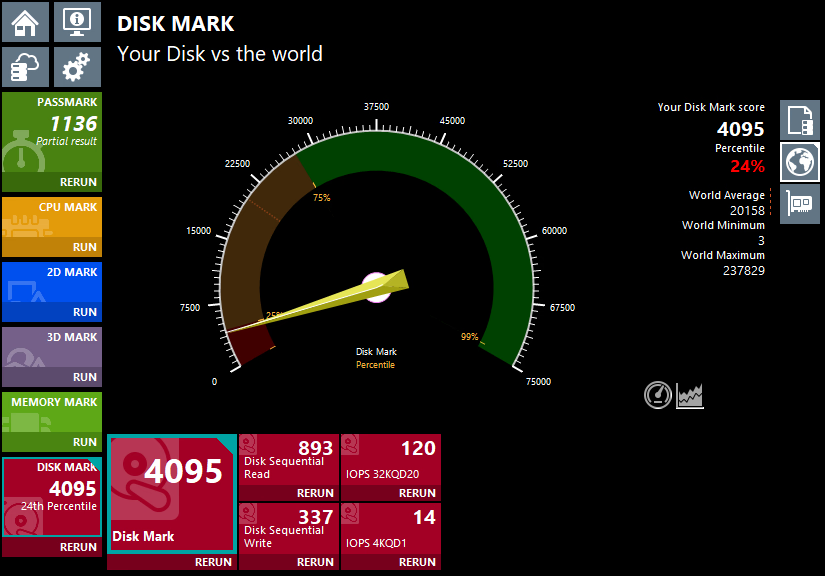
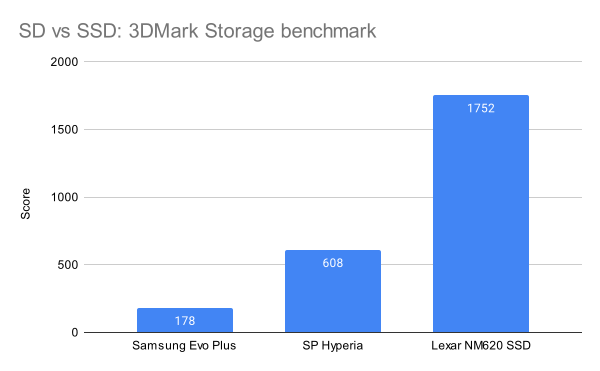
When it comes to 3DMark Game storage benchmark your entry level NVMe SSD will reach around 1500+ while better drives will reach 3000-5000+ points. The SDXC Samsung card reaches 121 points, which is less than 10% of your cheap NVME SSD:
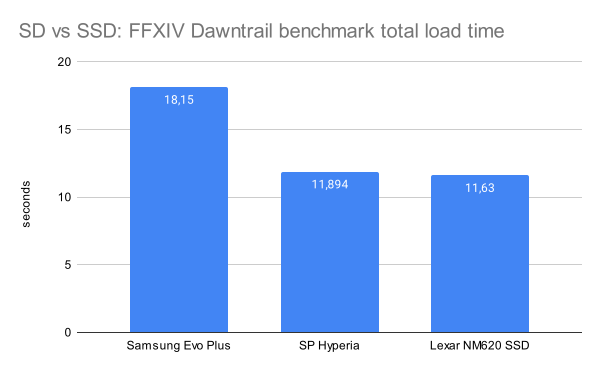
When it comes to FFXIV Dawntrail benchmark total load time, the SDXC cards take 30 or more seconds, while NVMe SSDs tend not go above 11 seconds, so ~3 times faster. Running the benchmarks from the SD card seems to have no effect on performance metrics, just the load times.
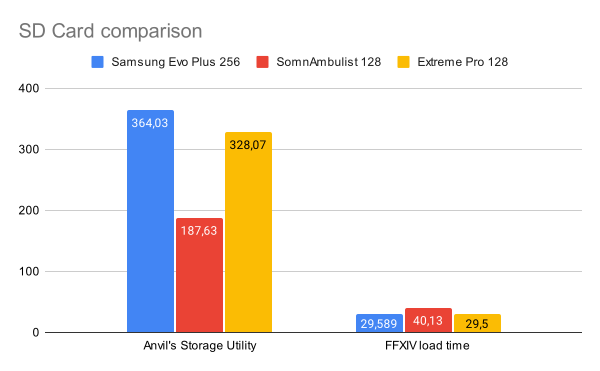
Generic no-name Extreme Pro
card managed to perform close to the Samsung one, while SomnAmbulist took a while longer to perform the tasks.
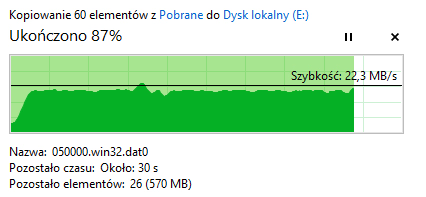
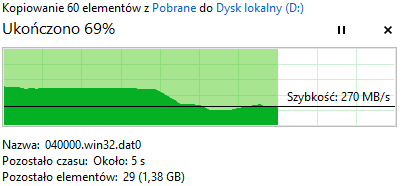
SD cards are good at sequential write scenarios. Copying a large game to an SDXC Samsung card goes without slowdowns, although it's slower than what you get on a SSD:
SD Express gaming benchmarks
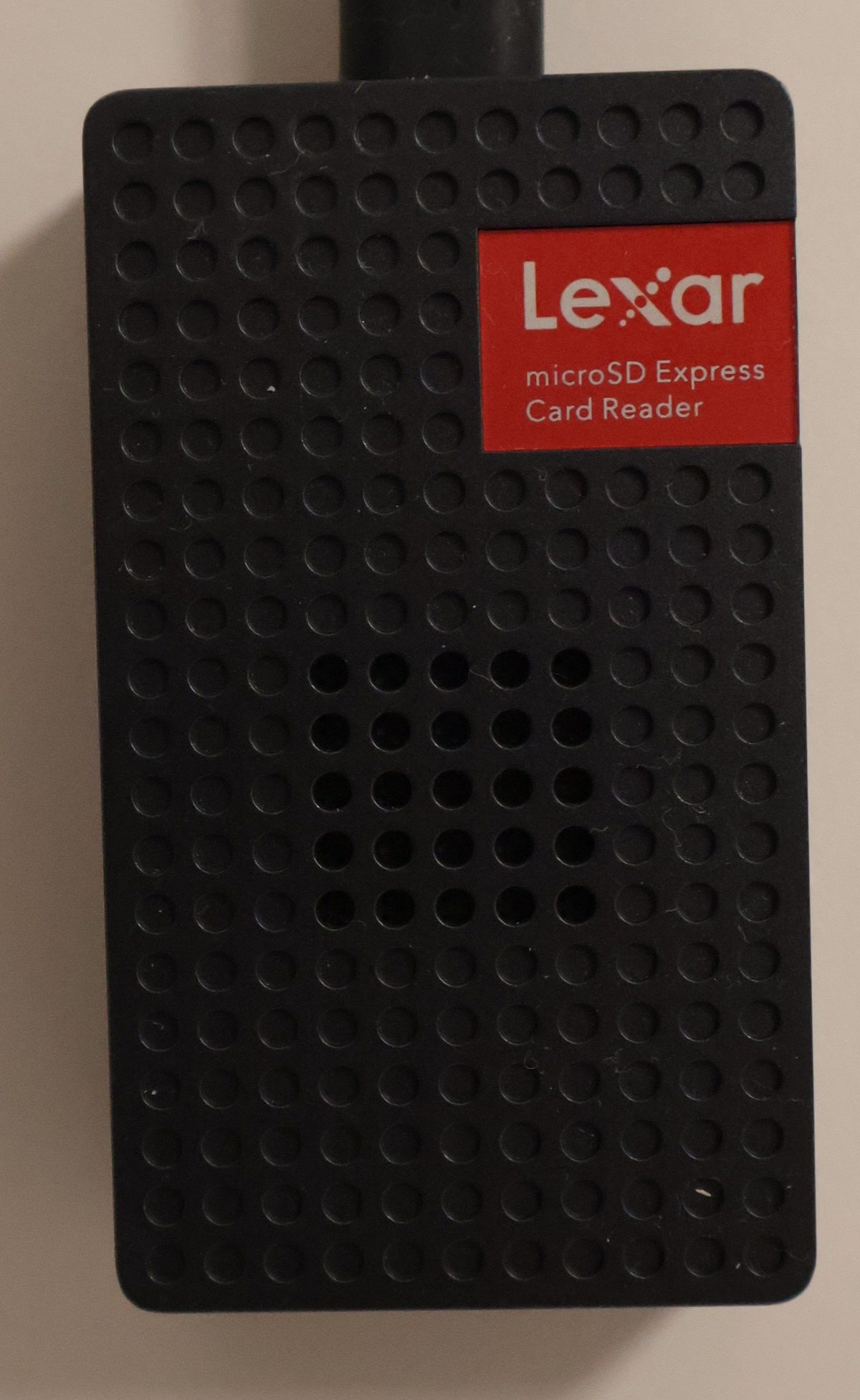
SP Hypera card was tested with Lexar SD Express card reader, not with the United SD card reader.
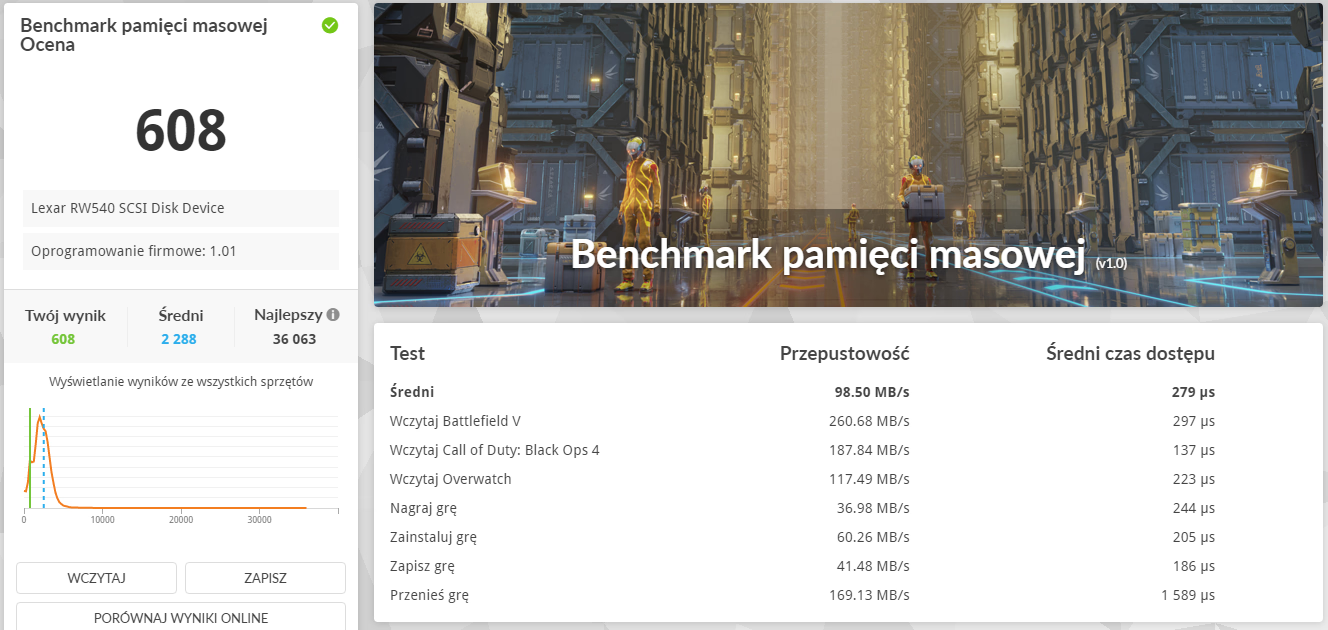
The PC Mark 10 Gaming storage benchmark is five times higher than the Samsung SDXC Express card, but still a bit less than half of what an entry-level PCIe 3.0 x4 SSD would pull off.
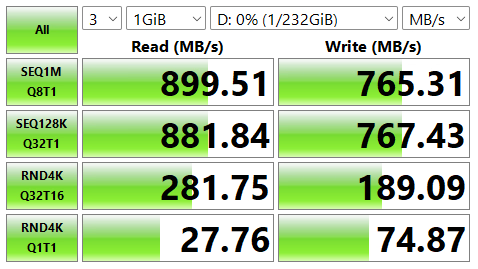
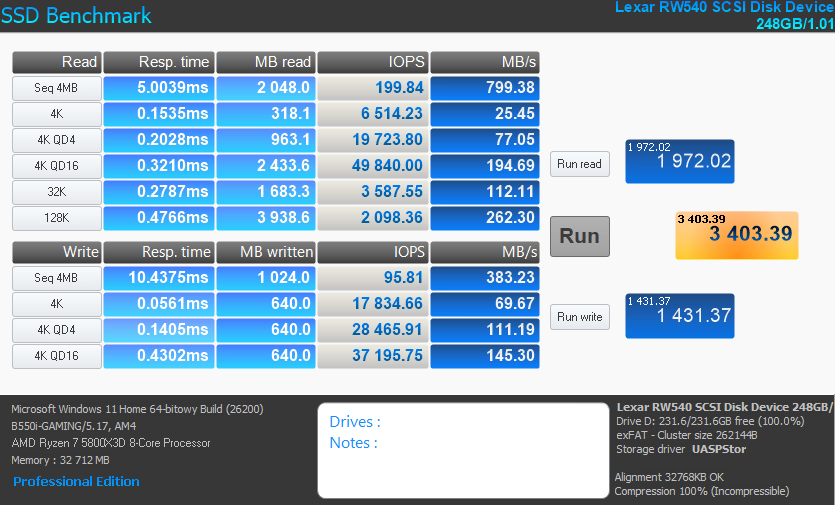
With the Lexar card reader, Windows 11 did not use the NVMe driver and opted for the USB storage driver.
Card readers and Windows storage drivers
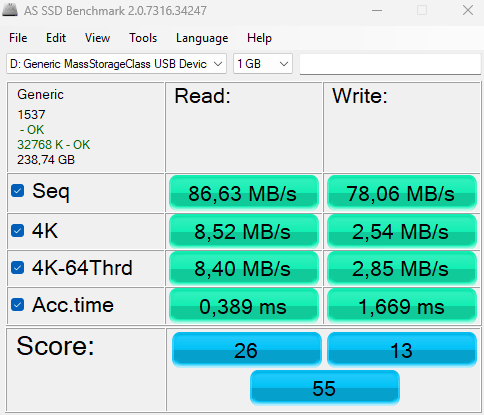
I run the tests using a few card readers, knowing that not every SD card reader is as fast as the USB connection could indicate. Below is the Samsung SDXC card tested in various card readers:
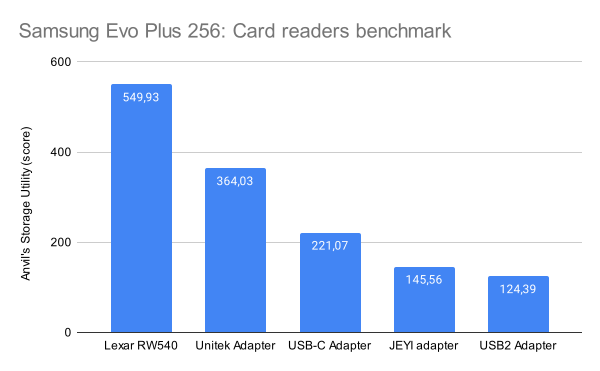
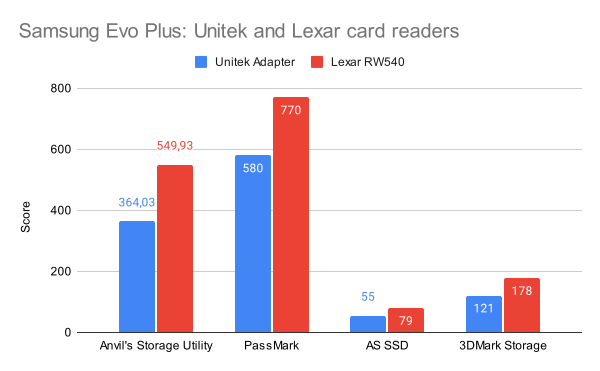
Lexar SD Express reader, Unitek USB-C dongle, another USB-C no-name dongle, JEYI USB 3.2 gen 2x1 card reader, and an old USB2 card reader. The differences are huge - there is a wide range of SD controllers that handle data transfers at various speeds, implement a set specification version (older vs newer), and so on. Having a fast SD card may not help if your SD card reader is slow.
Another difference that I spotted is that Unitek and JEYI card readers used different Windows drivers for the same Samsung SDXC card:
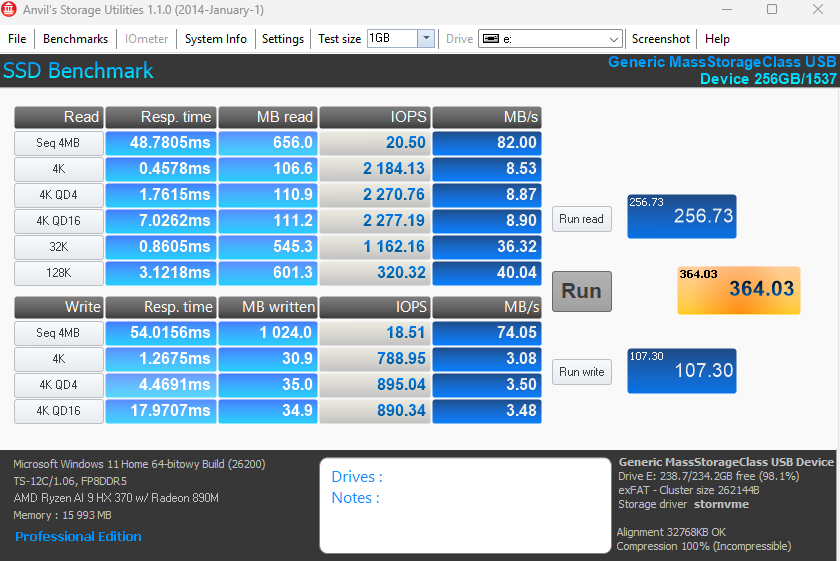
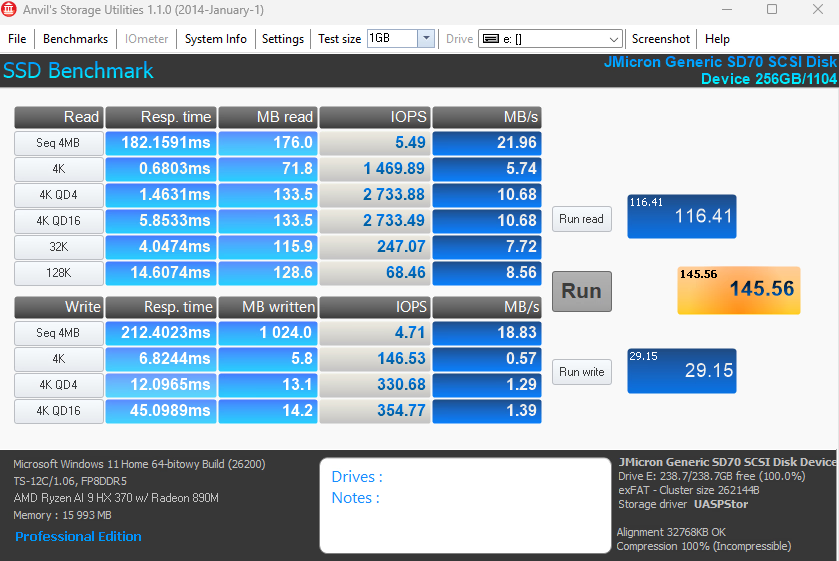
Windows uses UASPStor (USB Attached SCSI Protocol) driver when using the JEYI reader based on Micron JMS581LT SoC and StorNVMe (NVMe Driver) when using Unitek card reader. Lexar SD Express reader also used USB driver for SDXC and SD Express cards.
USB generic storage devices should use the USB driver rather than the NVMe one. Driver difference can explain the performance difference, but there is more to that - card reader chips can handle I/O in different ways - for example write operations that the OS wants to write and not just leave in cache to be saved in near future should wait until the data is actually written, but an over optimistic
behavior of some controllers can be that they say it's saved while it's not yet. This skews performance metrics up, but can lead to data loss and file corruption.
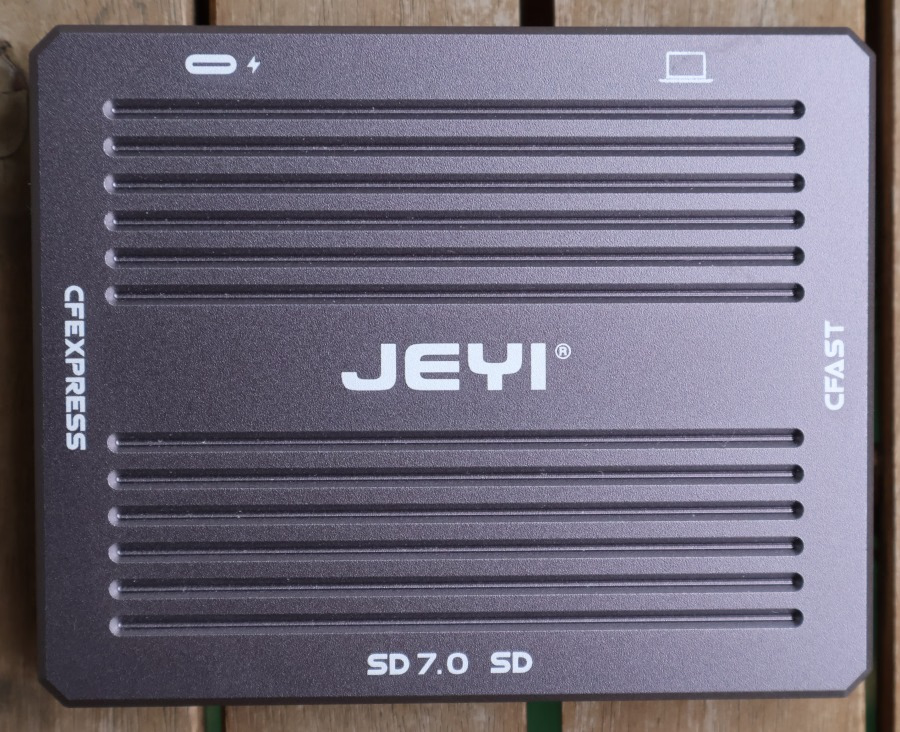
I got that JEYI card reader as it was at that time the only reader marked as allegedly handling 10 Gb/s instead of the common 5 Gb/s. It actually has a Micron JMS581LT chip inside, as described, yet in this case, for a plain SDXC card, the raw performance is worse (SD Express support could limit UHS-II/III cards to UHS-I speeds!). Detailed specs of the card reader list 500 Mb/S for CFast cards, CF Express 1000 MB/s, and SD up to only 30 Mb/s. It also supports SD standard version 7, which should include SD Express cards.
SD vs SD Express vs SSD
For these benchmarks, the Lexar card reader was used as it gave the best results for the SD cards (with Unitek adapter, FFXIV load time for Samsung Evo goes from 18s to almost 30s). Lexar NM620 SSD is a good and cheap, dramless entry-level PCIe 3.0 x4 SSD (it won't win benchmarks against mainstream PCIe 4.0 SSDs).
BIWIN mini SSD
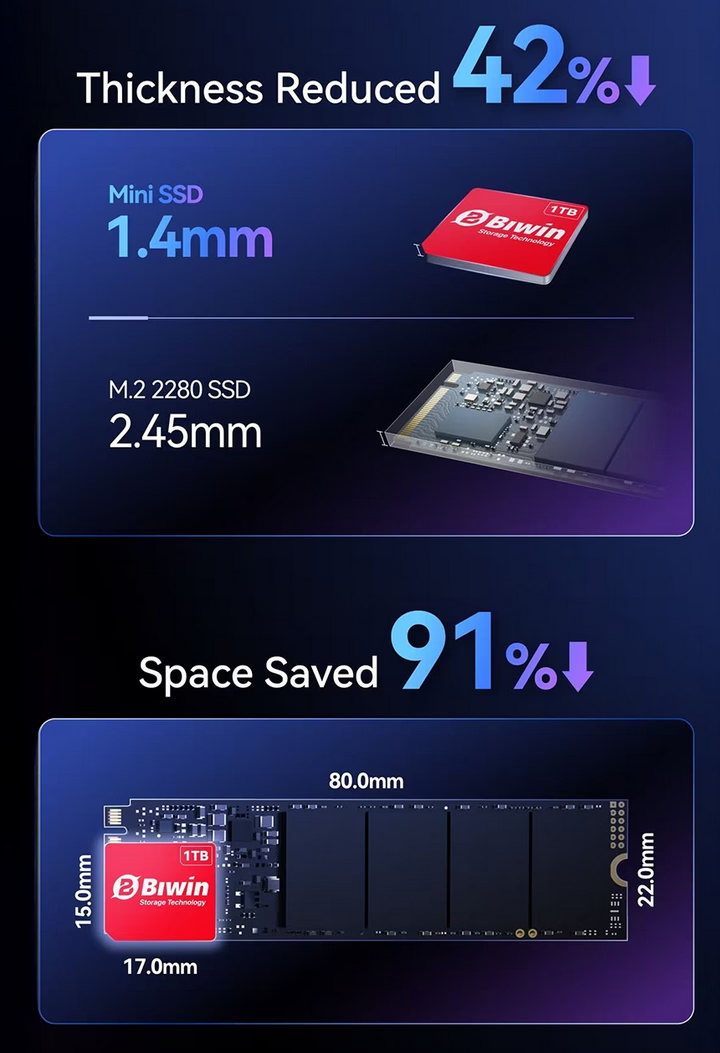
Recently, BIWIN, a Chinese SSD manufacturer, announced its proprietary SSD format - mini SSD. It uses PCIE 4.0 x2 (instead of standard x4) and is much smaller than a regular SSD, and even smaller/thinner than 2230 standard SSDs. It's used in a few gaming handhelds already, and as it's NVMe, it offers way better performance and capacity than SD/SD Express. At the time of writing this article there are no PCIe 4.0 x2 SD Express cards on the market as well, only PCIe 3.0 x1.
Summary
Standard SDXC cards aren't designed for PC use, and more demanding games may have loading lag or other problems when installed on such a card. Lighter apps or those relying on sequential read/write should be fine if you really don't have other options.
SD Express starts to bring big improvements when it comes to application use cases. Performance is much higher, although existing cards are still PCIe 3.0 x1, so the performance will have a cap. It's still unclear when PCIe 4.0 x2 cards will show up and at what price, and when mobile handhelds and laptops will be able to utilize their full potential.
Asus ROG Flow Z13 Windows gaming tablet utilises a 2230 SSD, which caps at 2TB. It also has a microSD card reader, and it could benefit from having reliable semi-gaming storage expansion. On the other hand, smaller handhelds and devices from GPD, OneXPlayer manage to fit a full 2280 SSD or even two M.2 drives (not to mention that BIWIN custom mini SSD).
Comment article